If you want to know how to follow multiple YouTube channels in one place, the short answer is: do not rely on the YouTube home page. Use either the Subscriptions view inside YouTube, notifications for a few must-watch channels, or a separate feed that shows new uploads from all the channels you follow.
If you follow a handful of channels, YouTube itself may be enough. If you follow dozens for research, writing or content ideas, a separate feed is usually easier because it puts new videos in one list without the recommendation layer.
Your main options
Here is the quick comparison.
| Option | Good for | What works well | Main limit |
|---|---|---|---|
| YouTube Subscriptions page | Casual viewing | Shows uploads from channels you subscribed to | Still tied to YouTube, easy to drift back into recommendations |
| YouTube notifications | A few critical channels | Fast alerts for important uploads | Too noisy if you enable many channels |
| Channel feeds in one place | Research, monitoring, regular scanning | New videos from many channels in one list | You need to add the channels first |
Option 1: Use the YouTube Subscriptions page
If you already subscribe to channels in YouTube, the Subscriptions area is the simplest place to start. It is better than the home page because it focuses on channels you chose, not what YouTube wants to recommend.
Use it when:
- you follow a small number of channels
- you mostly watch, rather than research
- you do not need summaries, search across sources, or topic grouping
Its main weakness is workflow. You are still inside YouTube, one click away from the home feed, Shorts and recommended videos. For focused research, that is often the problem.
Option 2: Turn on notifications for a few channels
Notifications work best for channels where every upload matters.
Use them when:
- you need to catch uploads quickly
- only a few creators are truly essential
- you do not mind alerts on desktop or mobile
Do not use them for everything. Once too many channels can alert you, you start ignoring all of them. Notifications are a good priority tool, not a good dashboard.
Option 3: Follow channel feeds in one place
This is usually the best answer if you are trying to keep up with a field through YouTube.
A channel feed is the channel's update stream: each new upload appears in order, so you can check what is new without browsing the YouTube home page. You can get a channel's feed link with Repurai's free YouTube Channel Feed Finder if you need the feed URL for another tool.
Use one feed for everything when you want to:
- follow many YouTube channels together
- separate channels by topic
- scan only today's uploads
- search across what your sources published
- decide what is worth watching before you spend 40 minutes on it
Do it with Repurai
Repurai is useful here because it can follow YouTube channels alongside the other sources you already use, then show the new items in one place.
The basic path is:
- add the YouTube channels you care about
- group them into a Space
- check new videos in Today
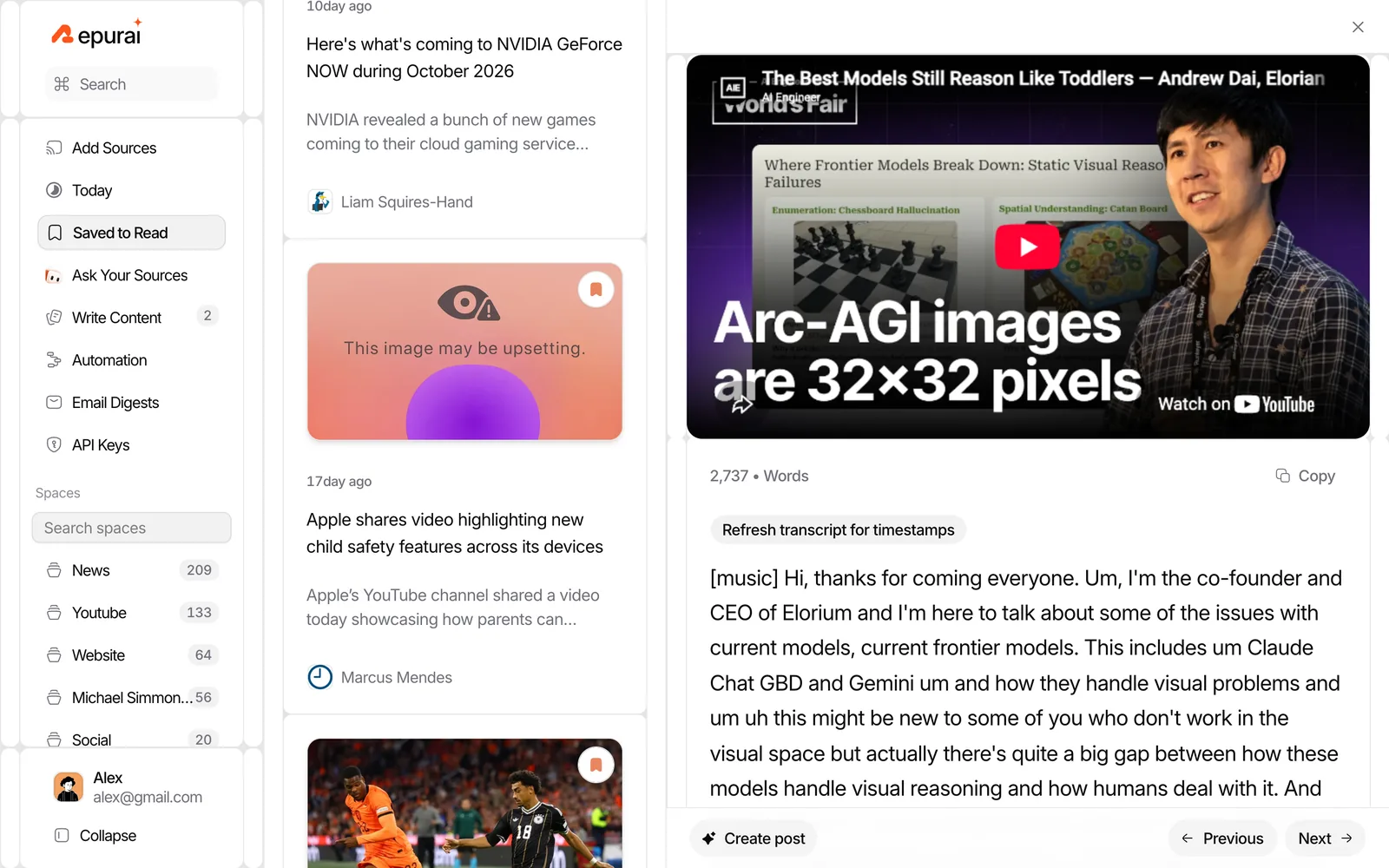
- open a video and read its AI summary from the transcript when captions exist
1) Add channels by pasting links
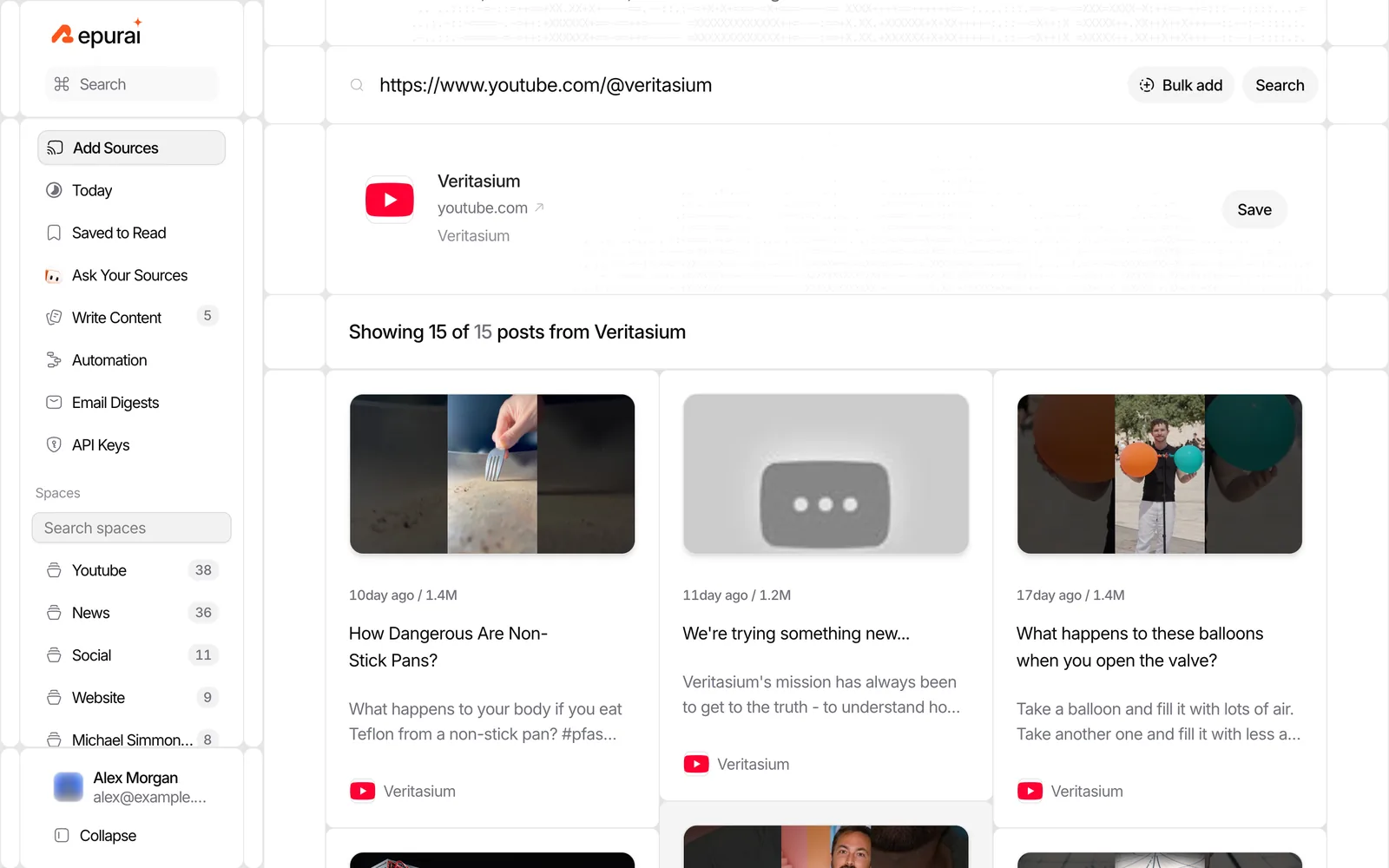
Create a Space for the topic you want to track, then paste a YouTube channel link. Repurai finds the channel's update feed and shows recent videos before you save it.
This is useful when you already know exactly which channels you want.
Good examples of Spaces:
- AI research
- creator education
- competitors
- client industry
- podcast sources
2) Bulk add channels if you have a long list
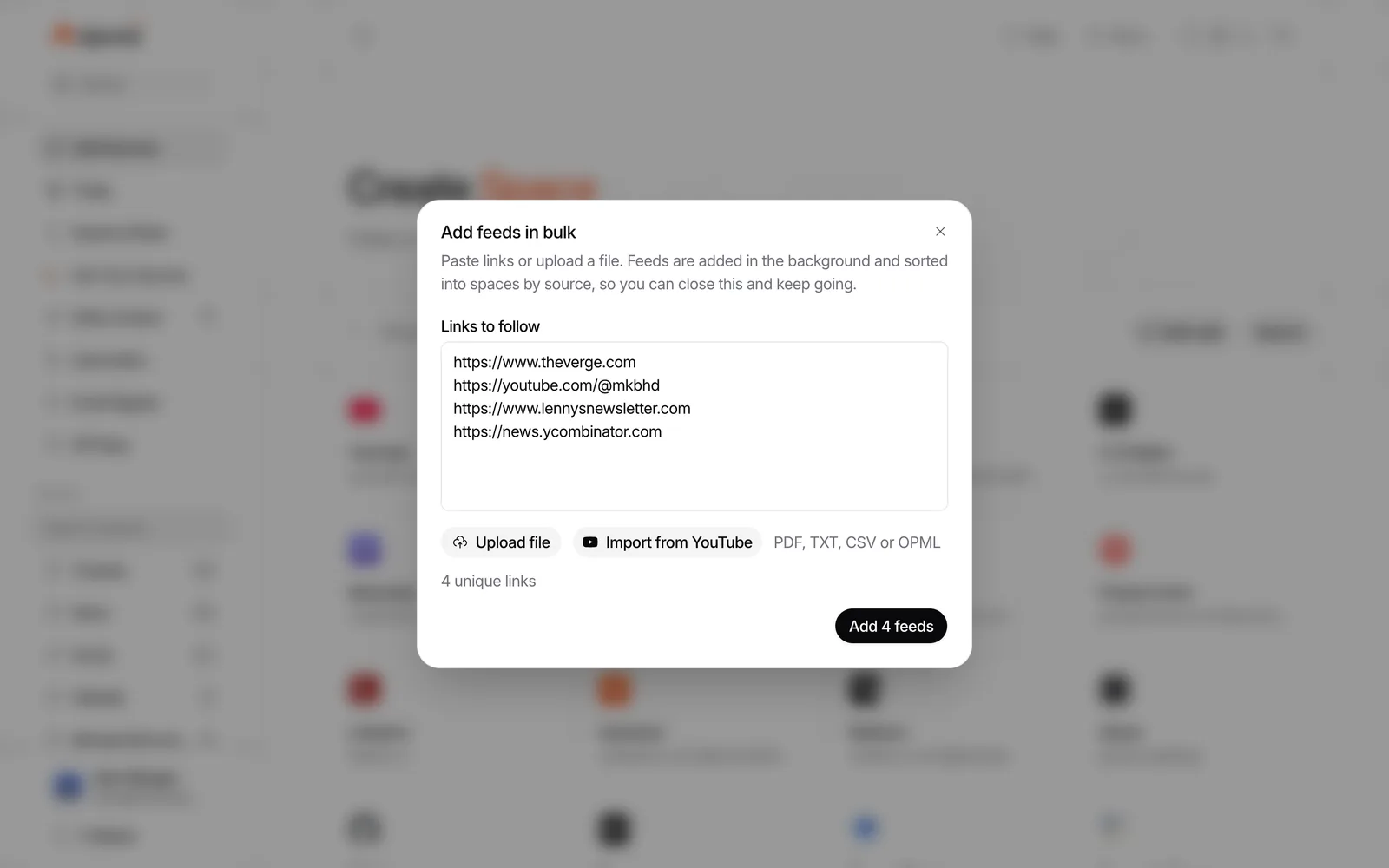
If your channel list already lives in a document, spreadsheet or another reader, use Bulk add. You can paste several links at once or import your list of sources from another reader.
This is the fastest way to set up a serious monitoring list.
A simple workflow:
- collect the channel links you already trust
- bulk add them into one Space
- split them into more Spaces later if needed
For example, you might start with one broad Space called "AI video sources" and later separate it into:
- model labs
- independent educators
- VC and market analysis
- coding tutorials
3) Check new uploads in Today
Once your channels are saved, Repurai refreshes the sources automatically about every hour, and you can also refresh manually. The Today view shows everything your sources published today in your timezone.
That matters if you want to avoid the feeling that something new is always hiding somewhere. Instead of opening ten channels one by one, you check one place.
Today is especially useful when you want to:
- scan morning uploads before work
- spot a new interview or launch video quickly
- catch patterns across several creators on the same day
If you want to set this up in your own account, start with the quickstart at /docs/quickstart or create a free account at /signup.
4) Read the summary before you decide to watch
When a video has captions available, Repurai can summarize it from the transcript. That lets you triage long videos faster.
Use the summary to answer questions like:
- Is this actually new?
- Does it contain a claim I need to verify?
- Is there a useful quote, demo or explanation worth watching in full?
This saves time, but it is still a triage step. If you plan to cite the video or repeat a factual claim, check the original video and transcript.
If you want a one-off summary for a single video right now, the free YouTube Video Summarizer is the quickest path.
A simple setup that works well
If you are not sure how to organise your channels, start with this.
Space 1: Must-watch channels
Put the few channels where every upload matters.
Examples:
- the companies or researchers you cover
- your direct competitors
- one or two trusted explainers
Use this Space to check Today first.
Space 2: Background learning
Put the channels that are useful, but not urgent.
Examples:
- long-form interviews
- tutorials
- conference talks
- broad commentary channels
Use summaries to decide what to save for later.
Space 3: Competitor or niche tracking
Use this when you need to monitor what other creators in your area are publishing.
This is where one place becomes much more useful than YouTube itself, because you can follow tracked creators without mixing them into your own leisure watching.
What to do when the list gets noisy
The common failure point is not adding channels. It is adding too many and ending up with another messy stream.
Keep it useful with a few rules:
- separate urgent channels from general learning
- remove channels that rarely produce signal
- save longer videos to read later instead of opening them immediately
- use search when you need a specific topic across everything you follow
- use feed filters if certain repeated topics or keywords are never useful to you
A good rule of thumb is this: if a channel makes you feel informed only 1 in 10 times, it probably belongs in a lower-priority Space or should be removed.
Illustrative checklist: set up one place for YouTube in 15 minutes
Copy this and adapt it.
Goal: follow multiple YouTube channels in one place without using the home feed
- Make a list of 10 to 30 channels you genuinely use
- Mark 3 to 5 as must-watch
- Create one Space for must-watch channels
- Create one Space for background learning
- Paste the first few channel links and save them
- Bulk add the rest
- Open Today and scan only today's uploads
- Open one long video and read the summary first
- Save anything worth a full watch for later
- After one week, remove channels that are not helping
When this does not work
No method is perfect. The main limits are:
- Some videos have no captions, so there may be no transcript-based summary.
- If you need instant alerts for one critical channel, notifications may still be better.
- If you mostly want entertainment, YouTube's own app may feel more natural.
- A feed shows what was uploaded, not whether every video is worth your time.
Repurai helps with the last point by letting you scan Today, search across sources and use summaries as a first pass, but it does not replace checking the original source when accuracy matters.
Some features depend on your plan, so if you need to compare options such as automation or developer access, check /pricing.
A good default workflow
If you want the simplest sustainable setup, use this mix:
- notifications for 1 to 3 critical channels
- a dedicated Space for all important YouTube channels
- Today as your daily check-in
- transcript summaries to triage long videos
That gives you both speed and control, without relying on the recommendation feed to decide what you see.
To set it up, start here: /signup
FAQ
Can I follow multiple YouTube channels without using the YouTube home page?
Yes. The easiest ways are the Subscriptions page, notifications for a few key channels, or a separate feed that collects new uploads from all the channels you follow.
How do I get a feed URL for a YouTube channel?
Use the channel link and convert it to the channel's feed URL. If you want the quickest route, use Repurai's free YouTube Channel Feed Finder to get the feed link from the channel URL.
Can AI summarize every YouTube video automatically?
Not every video. A transcript-based summary depends on captions being available, so some videos will not have a usable summary or transcript.