If you want a daily AI news summary by email, the most reliable way is to build your own briefing from the sources where AI news usually appears first, then send yourself one digest at a set time each day. That gives you one short email, but you still control what counts as AI news for you.
A generic AI newsletter can be useful, but it is still someone else's source list and judgment. If you care about specific labs, open source projects, YouTube channels or communities, a custom daily digest is better because you choose exactly what goes in.
Start with sources where AI news breaks first
The mistake most people make is starting with summaries before they decide what should be summarized. For AI, the first signals often show up in a few source types:
- lab and company blogs
- GitHub releases and repositories
- YouTube channels
- subreddits
- Hacker News discussions
- newsletters and blogs from people who track AI closely
- research sources such as arXiv or Google Scholar if you follow papers
That does not mean you should follow everything. It means you should pick a small set that matches what you want to catch early.
A practical starter list by source type
Use this as an illustrative starting point, then swap in your own picks.
| Source type | What it is good for | What to watch for |
|---|---|---|
| Lab blogs | Official launches, product updates, safety notes | New models, API changes, pricing or policy updates |
| GitHub releases | Real shipping changes in tools and libraries | Version releases, changelogs, breaking changes |
| GitHub repositories | Early movement before blog posts appear | New repos, major commits, issue activity if publicly available |
| YouTube channels | Demos, breakdowns, launch reactions, talks | Product walkthroughs, interviews, conference clips |
| Subreddits | Fast community reaction and edge cases | User reports, comparisons, workarounds |
| Hacker News | Technical discussion and industry reaction | Launch threads, critiques, implementation notes |
| Research feeds | New papers and methods | Fresh preprints in the areas you follow |
| Blogs and newsletters | Context and interpretation | Weekly framing, market implications, practical takeaways |
A good first setup is usually 10 to 25 sources, not 100. You can always add more later.
Group your sources into one AI Space
The next step is to put those sources in one place. In Repurai, that place is a Space: a collection of sources around one topic, client or project.
Create a Space called something simple like:
- AI daily brief
- AI launches
- GenAI watch
- AI research and tools
Then add sources in whichever way is easiest:
- paste a link to a blog, newsletter, YouTube channel or subreddit
- search for a topic and preview sources before saving them
- bulk-import a list of links
- import your list of sources from another reader such as Feedly or Inoreader
Repurai supports YouTube channels, Substack, Medium, beehiiv, Ghost, WordPress and other blogs, any RSS or Atom feed, subreddits, Hacker News, GitHub releases and repositories, Google Scholar, arXiv, Bluesky and Mastodon, subject to what each platform makes publicly available.
Do it with Repurai
- Create a new Space for AI news.
- Add your first sources by pasting links to the sites and channels you already trust.
- Use topic search to find more AI sources and preview their recent posts before saving them.
- Keep everything in that one AI Space so your digest pulls from a clean list.
If you need a source link for a channel or website first, use the free YouTube Channel Feed Finder or RSS Feed Finder.
Cut the noise before you schedule the email
A digest only helps if it is short. Before turning on email, remove the items that waste your attention.
In practice, that usually means filtering out:
- job posts
- event announcements
- repeated cross-posts
- very short link posts with no substance
- off-topic items from broad tech sources
Repurai has feed filters that can hide posts by keyword, author, link or length. You can apply them everywhere, to one Space, or to one source, without deleting anything.
Examples of useful filters for an AI daily brief:
- hide titles containing "jobs"
- hide posts shorter than your minimum useful length
- hide recurring event reminders
- hide a creator's off-topic content in one mixed channel
This step matters more than people expect. A filtered 12-source Space is usually better than an unfiltered 40-source one.
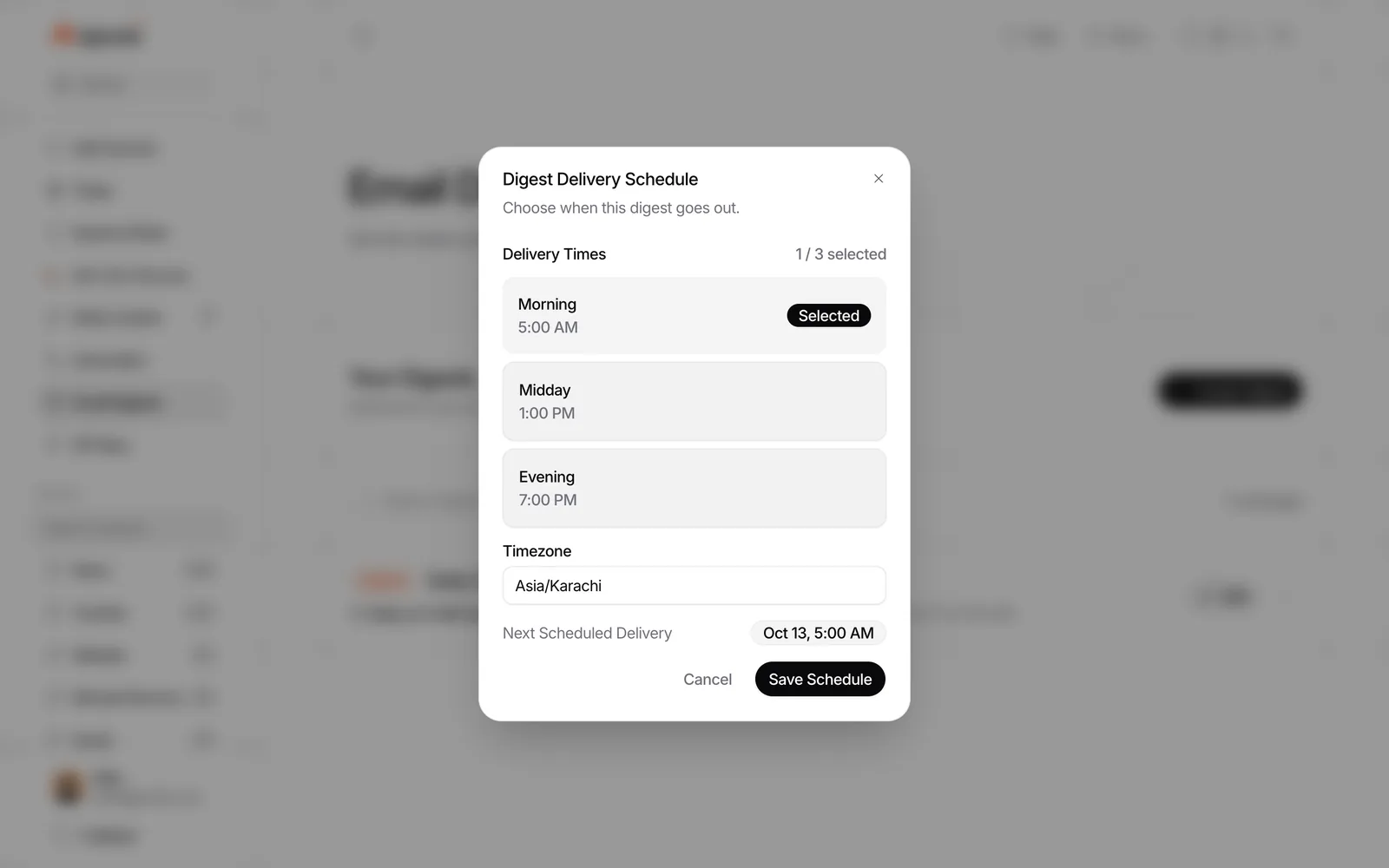
Set a daily email digest for the hour you actually read it
Once your Space is ready, set the digest schedule. Repurai email digests can send chosen Spaces or individual sources daily, weekly or on chosen days, at chosen hours, to you and anyone you add. Each digest opens with an AI-written overview of the stories.
For a daily AI briefing, choose:
- one AI Space
- daily delivery
- a realistic hour in your timezone
- only the sources you want in that email
Good delivery times depend on how you work:
- early morning if you want to scan before work
- midday if you want the morning's posts included
- evening if AI news is not your main job and you read after hours
Do it with Repurai
- Open Email Digests.
- Create a new digest.
- Choose your AI Space, or pick only the feeds you want included.
- Set it to daily.
- Choose the hour and timezone.
- Add recipients if other people should get the same briefing.
- Save and wait for the next delivery.
The digest opens with an overview so you can grasp the main stories first, then decide which links deserve your time.
Use the digest for triage, not blind trust
A daily AI news summary should help you decide what to read, not replace reading completely. That is especially true for fast-moving AI news, where important details are easy to miss.
Repurai can summarize articles and YouTube videos to help you triage. For YouTube, summaries come from the transcript when captions are available, so some videos will not have them. Summaries are useful for deciding what to open first, but original claims still need checking.
A good routine is:
- Read the overview in the email.
- Open only the two or three stories that seem important.
- Use the AI summary to get the key points quickly.
- Check the original post or video before repeating claims elsewhere.
For more on that step, see How to check an AI summary before using it in your work.
Ask follow-up questions when the digest is not enough
Sometimes the email tells you what happened, but not the pattern behind it. You may want answers like:
- What did my sources publish about open source models this week?
- Which AI tools shipped updates in the last 24 hours?
- What are people comparing this launch against?
- Which stories appeared across YouTube, Reddit and GitHub together?
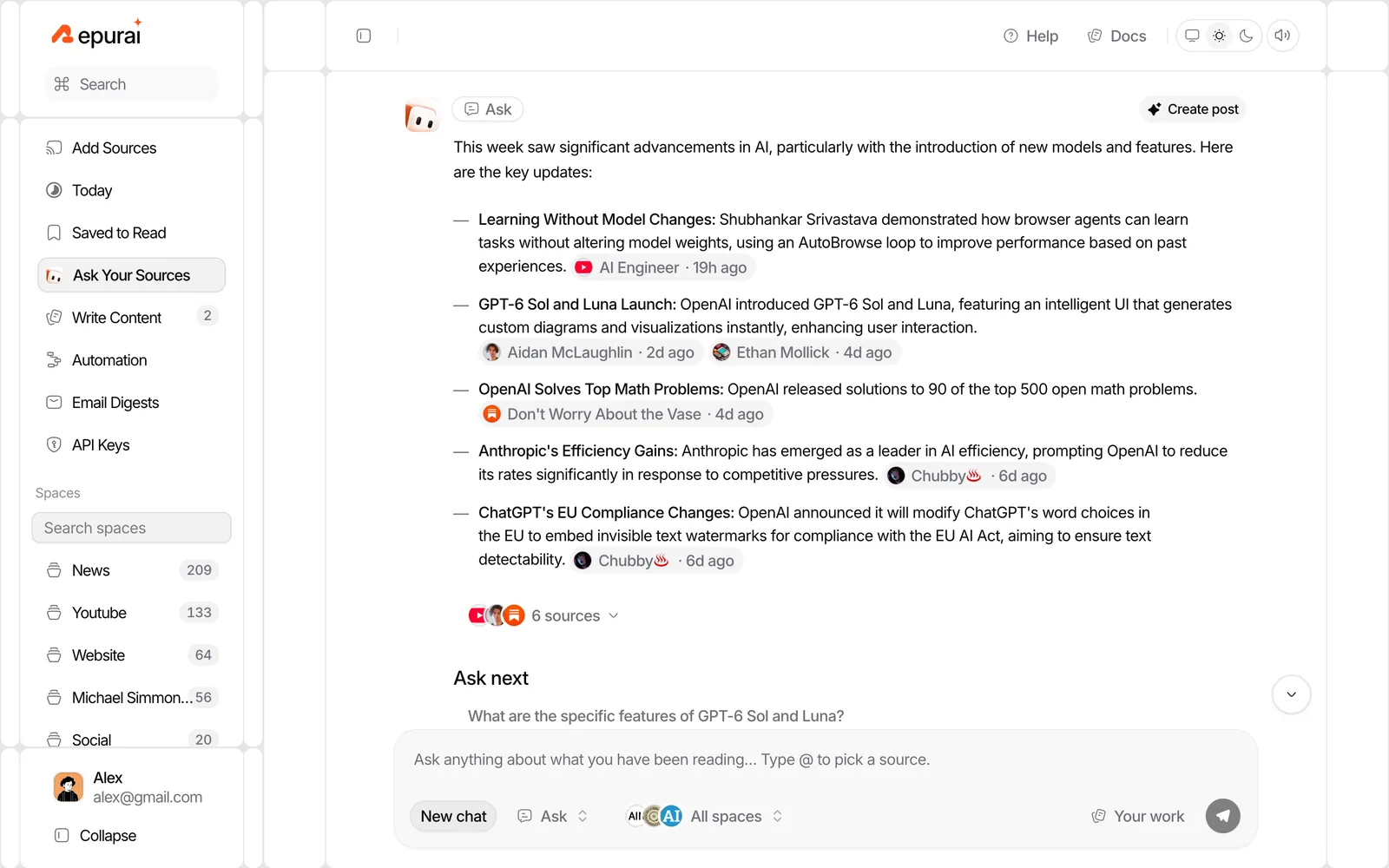
Repurai's Ask your sources feature answers from your own followed sources and cites the posts it used. You can limit it to today, yesterday, the past week, a specific Space, or named sources.
That is useful when your daily AI news summary points to a trend and you want a fast, sourced explanation without searching manually across everything.
Do it with Repurai
Ask questions such as:
- "What changed in AI today across my AI Space?"
- "Which GitHub releases in my AI Space look important for developers?"
- "Summarise what my sources said this week about model evals."
Because the answers come from your own source list and cite the underlying posts, the result is usually more useful than a generic chatbot answer with no source boundaries.
Your own digest vs a generic AI newsletter
Both can work. The difference is control.
| Option | Best for | Trade-off |
|---|---|---|
| Generic AI newsletter | You want someone else to curate everything | You inherit their blind spots and priorities |
| Your own daily digest | You want your exact mix of sources and topics | You need to set it up once |
A generic newsletter is easier on day one. A custom digest is usually better by week two, because it starts matching your role.
For example:
- a founder may care about product launches, pricing updates and customer reactions
- an engineer may care more about GitHub releases, docs and implementation details
- a writer may care about YouTube explainers, lab posts and industry commentary
- a researcher may want papers and technical discussion first
An illustrative setup you can copy
If you want a simple first version, copy this checklist.
Daily AI briefing checklist
- Create one Space called "AI daily brief"
- Add 3 to 5 official lab or company blogs
- Add 3 to 5 GitHub releases or repositories you care about
- Add 2 to 4 YouTube channels that explain launches well
- Add 1 to 3 subreddits or discussion sources
- Add 2 to 4 blogs or newsletters with strong analysis
- Add filters for obvious noise such as jobs or event posts
- Set one daily digest for your usual reading hour
- After one week, remove the noisiest 20 percent of sources
Example questions to refine the setup
Ask yourself:
- Where do I usually hear AI news too late?
- Which sources break news versus just comment on it?
- Which sources generate more noise than value?
- Do I want launch coverage, developer updates, research papers, or all three?
If your digest feels too long, remove sources before adding more filters. If it feels thin, add one source type you are missing, usually GitHub, YouTube or Reddit.
When this does not work
There are limits.
- If a source does not publish public updates in a way that can be followed, it may not fit this workflow.
- Some YouTube videos have no captions, so transcript-based summaries are not available for those videos.
- A digest can help you spot important stories, but it cannot verify claims for you.
- If you follow too many broad sources, your "short email" will become a long one.
- Some features depend on your plan, so check /pricing if you need a specific setup.
A simple manual alternative
If you do not want to use any tool yet, you can still do this manually:
- Make a plain list of your AI sources by type.
- Bookmark them in one folder.
- Check them once a day in a fixed order.
- Keep a note of which ones actually break useful news.
- Prune the list every week.
That works, but it takes more discipline and more time. A tool mainly helps by keeping the source list in one place, checking for updates regularly and sending the digest automatically.
If you want to set it up in Repurai, start here: /signup
FAQ
What is the best source mix for a daily AI news summary?
A good mix is official lab blogs, GitHub releases or repositories, a few YouTube channels, one or two discussion sources like subreddits or Hacker News, and a small number of analysis blogs or newsletters. The best mix depends on whether you care most about launches, developer changes, research or commentary.
Can I get a daily email digest of websites and YouTube channels together?
Yes. The practical approach is to follow both in one place, group them into one AI Space, and send a daily digest from that Space. That is easier than checking separate apps for blogs, videos and discussions.
Is this better than Google Alerts for AI news?
It is better when you already know which sources you trust and want a daily email digest of websites and channels you chose yourself. Alerts are broader, but a source-based setup is usually cleaner for keeping up with AI news without the overload.