If you want to know how to automate newsletter curation, the short answer is this: automate collection, triage, summaries, a scheduled digest and a rough first draft, but keep selection, opinion and the final edit in human hands.
That split saves time without turning your newsletter into a generic summary of the internet. For most weekly issues, the slow part is not writing the intro. It is checking every site, channel and newsletter you follow, pulling links into one place, and reducing a week's reading into a shortlist you can actually use.
What to automate and what not to automate
A good curated newsletter has two jobs:
- Find what changed.
- Explain why your reader should care.
Only the first job should be heavily automated.
| Step | Automate it? | Why |
|---|---|---|
| Checking sources for new posts | Yes | Repetitive and time-sensitive |
| Pulling updates into one place | Yes | Pure collection work |
| Summarizing articles and videos | Yes, with checking | Useful for triage, but claims still need checking |
| Sending yourself a writing-day digest | Yes | Saves context switching |
| Finding weekly themes across your sources | Yes | Faster than scanning from scratch |
| Drafting a first pass of the issue | Yes | Helps you start from structure, not a blank page |
| Choosing which links make the issue | No | This is your editorial judgment |
| Adding opinion, caveats and framing | No | This is what readers subscribe for |
| Final fact check and edit | No | AI summaries can miss nuance |
The practical goal is not a one-click newsletter. It is a repeatable weekly workflow where the machine does the collecting and compressing, and you do the choosing and thinking.
A simple weekly workflow
If you do this by hand, the process usually looks like this:
- open 20 to 80 tabs
- check whether each source posted this week
- skim headlines
- save possible links
- read enough to write blurbs
- notice patterns across the week
- assemble the issue
A better version is:
- all sources update automatically in one place
- a digest lands on the day you write
- you ask for the week's themes with citations
- you draft from selected links in your voice
- you do the final editorial pass yourself
That is the setup below.
Do it with Repurai
Repurai's path is Follow, Read, Ask, Write, Publish. For newsletter curation, you mainly need the first four.
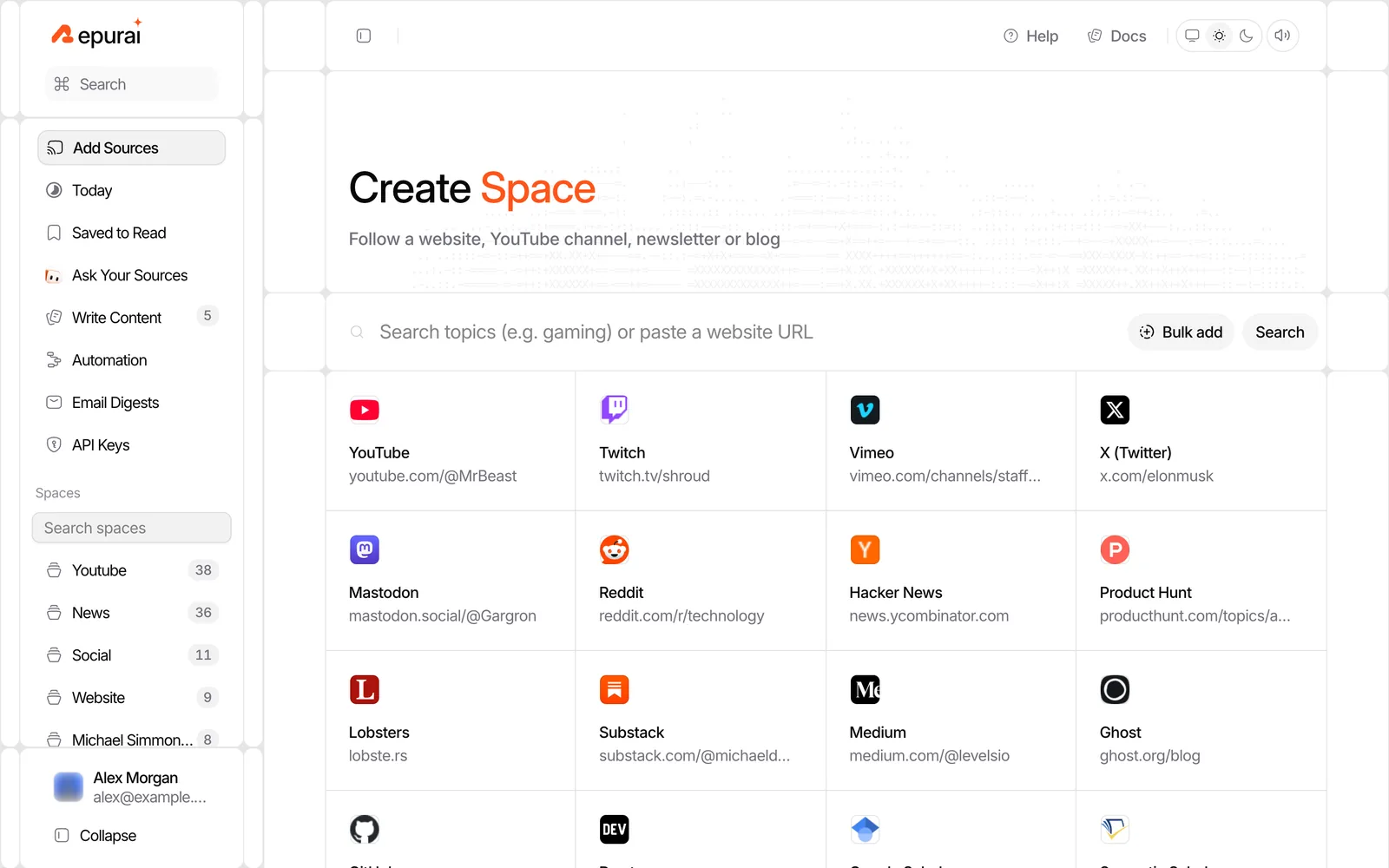
1. Create a Space for each newsletter section
Start by grouping sources the same way your issue is structured.
For example:
- Space 1: Industry news
- Space 2: Product launches
- Space 3: Research and analysis
- Space 4: Competitor or client tracking
- Space 5: Sources you are testing
If you run multiple newsletters or work in an agency, create separate Spaces per client or publication, then separate Spaces inside that by section if needed. Repurai allows unlimited Spaces on every plan.
Add sources by:
- pasting a website, newsletter or channel link
- searching a topic and saving relevant sources
- bulk-importing links
- importing your list of sources from another reader
Supported public sources include YouTube channels, Substack, Medium, beehiiv, Ghost, WordPress and other blogs, subreddits, Hacker News, GitHub releases and repositories, Google Scholar, arXiv, Bluesky and Mastodon, depending on what each platform makes publicly available.
The point here is not to build the perfect source list on day one. It is to mirror your newsletter structure so the week's reading arrives already sorted.
2. Let Repurai collect updates automatically
Once your sources are in place, Repurai checks them about every hour, with a manual refresh when you want it.
That means your weekly curation no longer starts with “what did I miss?” It starts with a current list of what actually published.
Use a few simple habits:
- scan the Today view during the week to catch obvious must-use stories
- save promising items to read later
- search across all your followed sources when a theme emerges
- add feed filters to hide recurring low-value posts
Filters are especially useful for newsletters. You can hide posts by keyword, author, link or length across a whole Space or just one source, without deleting them. That keeps routine announcements, job posts or duplicate cross-posts out of your way.
If you need a quick one-off summary of an article while building your list, the free Article Summarizer can help you triage before you read the full piece.
3. Schedule an email digest for the day you write
This is the step many writers skip, and it removes a lot of friction.
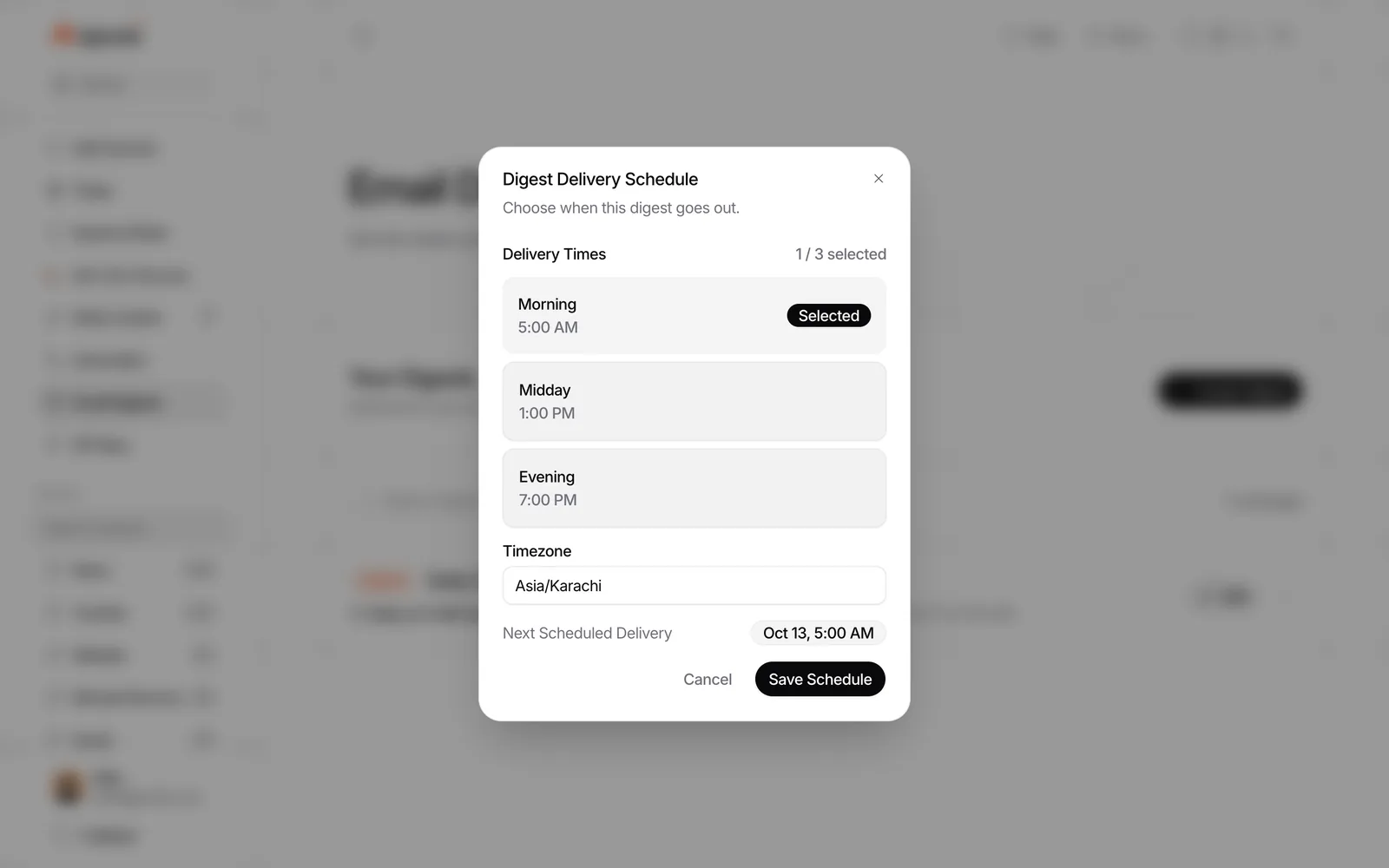
Create an email digest in Repurai for the Spaces or sources that feed your newsletter, then set it to arrive on the day you normally write. You can choose daily, weekly or specific days, at the hour and timezone that fit your routine.
For a weekly issue, a good pattern is:
- digest 1: the evening before writing, for a last scan
- or digest 2: the morning you write, for a clean shortlist
The digest opens with an AI-written overview of the stories inside it. That gives you a starting map of the week before you open individual posts.
If you work with an editor or clients, you can send the digest to other recipients too.
4. Ask for the week's themes with citations
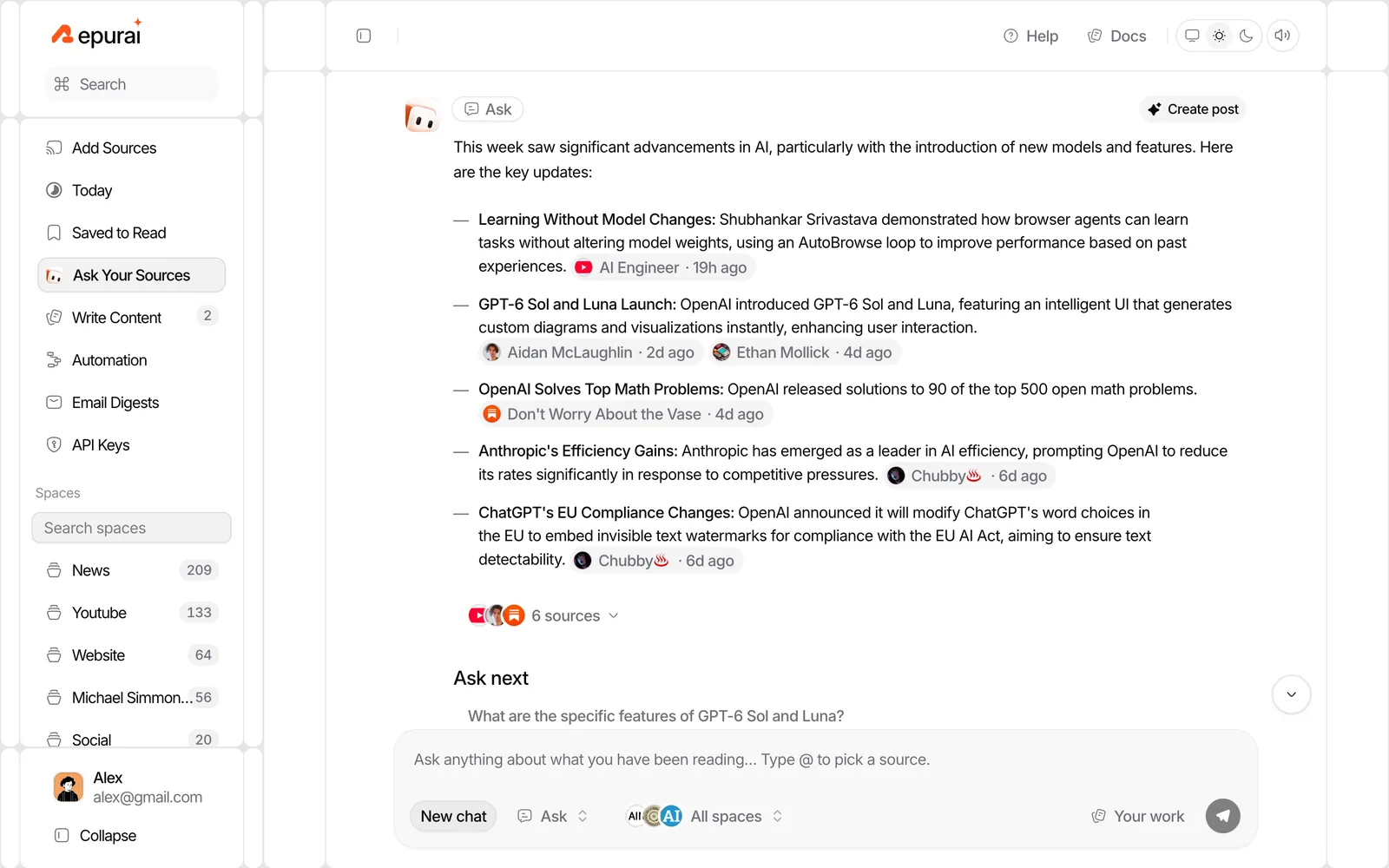
Once your digest has arrived, do not start writing from memory. Ask your sources what changed this week.
In Ask, limit the time range to the past week and select the Space for that newsletter section. Then use prompts like:
- What were the main themes this week in this Space? Cite the posts.
- Which stories appeared across multiple sources, and how did the angles differ?
- What mattered this week that only one source covered?
- What were the strongest claims or numbers published this week? Cite them.
- Which three items are most useful for a practical newsletter reader, and why?
Repurai answers only from your own followed sources and cites the relevant posts. That matters because you can click through and verify before you repeat a claim.
This is where automation becomes genuinely useful for curation. You are not asking a model to invent a newsletter topic. You are asking it to compress your actual source set into patterns you can review.
5. Pick links like an editor, not a collector
Now switch back to human judgment.
Your issue should not include everything important that happened. It should include the items that fit your reader and your angle.
A fast selection test is:
- Does this matter to my reader this week?
- Is this new, or just more commentary on the same news?
- Can I add a useful opinion, warning or takeaway?
- Do I trust the source claim after checking it?
- Does this duplicate another link I already chose?
A good weekly curated issue is usually better when it is shorter and sharper. The value is often in what you leave out.
Draft the issue faster in your own voice
After you have chosen the links, use Repurai to draft around them.
Repurai can create drafts from an article, an idea or an Ask answer for platforms including Substack, Ghost and Medium. For newsletter writers, the useful part is not “write the whole thing for me.” It is “give me a structured first pass in my voice so I can edit from something solid.”
Set up two things first:
- Your Voice: paste a few past posts so Repurai learns how you normally write for that platform
- Post instructions: add rules like “British English”, “no emoji”, “plain language”, or “always include one practical takeaway”
Then generate a draft from:
- one selected article for a blurb or commentary section
- an Ask answer about the week's themes for your intro
- a saved idea if a story deserves a standalone opinion piece
The draft should save you from the blank page. It should not replace your final edit.
If you want more detail on keeping tone consistent, the follow-up article Write a newsletter with AI in your own voice covers that part.
A worked weekly setup
Here is an illustrative setup for a weekly tech or industry newsletter.
Spaces
- Top stories: major company blogs, leading newsletters, YouTube channels
- Tools and launches: product updates, release blogs, GitHub releases
- Discussion: selected subreddits, Hacker News, expert commentary
- Research: Google Scholar, arXiv, analyst blogs
Digest schedule
- Wednesday 7:00 PM: all Spaces, last scan before writing
- Thursday 8:00 AM: Top stories + Research only, sent to writer and editor
Ask prompt
Use this on writing day:
Illustrative prompt: In the past week, what were the main themes across my Top stories and Research Spaces? Group them into 3 to 5 themes, cite the posts for each point, note where sources disagree, and flag any claim that should be checked in the original article before publication.
Draft prompt
After you pick your links:
Illustrative prompt: Write a first draft for this week's newsletter intro in my usual voice. Focus on the theme that connects these selected stories. Keep it concise, avoid hype, and end with one practical takeaway for readers.
For teams that move links into another tool
Some teams do their final assembly in another system such as a CMS, a spreadsheet, a project tool or an internal editorial workflow. Repurai can still handle the collection and drafting part.
You have three practical options:
Option 1: Send drafts or posts by webhook
Repurai can send every new Post Automation post to a webhook URL you set. Events are:
post.createdpost.publishedpost.test
The JSON body is:
{
  "event": "post.created",
  "sentAt": "2026-10-16T09:00:00Z",
  "post": {
    "id": "123",
    "title": "Weekly intro draft",
    "body": "...",
    "format": "substack",
    "status": "draft",
    "url": "https://...",
    "source": {
      "title": "Source title",
      "link": "https://source.example",
      "name": "Source name"
    },
    "createdAt": "2026-10-16T08:58:00Z",
    "publishedAt": null
  }
}
If you set a webhook secret, each request includes:
X-Repurai-Signature: sha256=<HMAC-SHA256 of the raw body, hex>X-Repurai-Event
This is useful if your team wants Repurai to draft from chosen sources, then hand those drafts to another tool for review or packaging. Webhooks depend on the plan, so check /pricing.
Option 2: Use the REST API
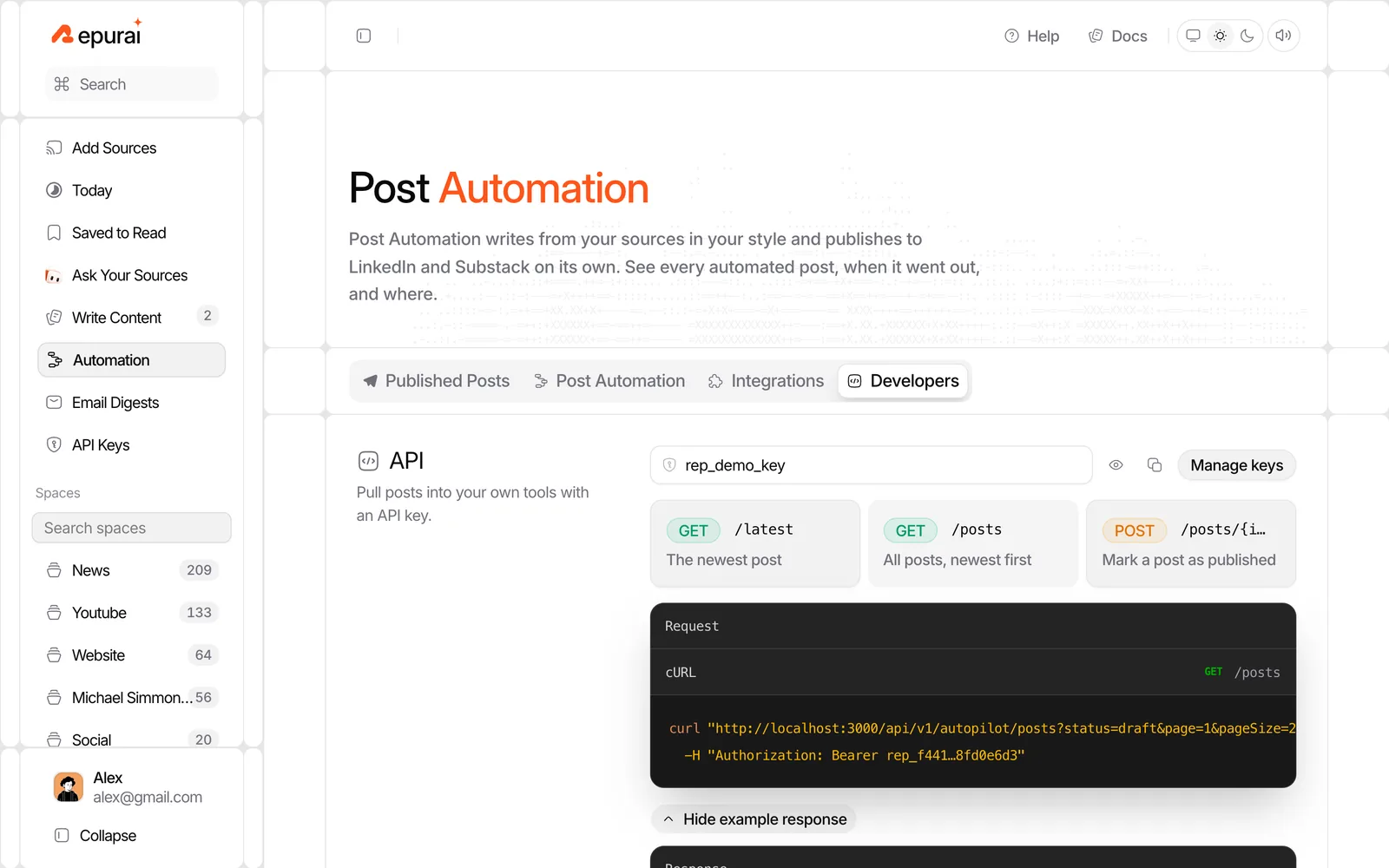
Repurai's REST API at /api/v1 is available on Starter plan and above with an API key as a bearer token. Teams can fetch feeds, Spaces, posts, today's posts, search results, summaries and transcripts on a schedule.
That lets you build workflows like:
- fetch this week's posts from selected Spaces
- search for posts on a specific theme
- pull AI summaries into your own review queue
- read Post Automation drafts from your internal tool
Docs are at /docs and the AI and API reference is at /docs/ai-api.
Option 3: Use the private RSS feed
If your existing system already accepts a private RSS feed, Repurai can expose posts that way too. This depends on the plan, so again, check /pricing.
Limits
Automation helps most with collection and compression, but it does not remove editorial responsibility.
A few honest caveats:
- AI summaries help you triage, but original claims still need checking.
- Some YouTube videos have no available captions, so they cannot be summarized from a transcript.
- Public-source coverage depends on what each platform makes available.
- A good first draft can still sound slightly too neat or flatten disagreement, so final editing matters.
- If your newsletter's value comes mainly from original reporting or private sources, curation automation will only cover part of the workflow.
A copyable checklist
Use this as your weekly process.
Weekly newsletter curation checklist
- Create one Space per newsletter section
- Add the websites, channels and newsletters you actually rely on
- Add filters for repeat low-value posts
- Save strong items during the week
- Schedule a digest for the day before or morning of writing
- Ask for the week's themes in the past-week time range
- Check the cited posts before repeating claims
- Choose links with reader value, not completeness, in mind
- Draft the intro or blurbs in your voice
- Do the final edit and fact check yourself
If you want to try the setup, start at /signup.
FAQ
Can AI fully curate my newsletter for me?
It can collect updates, summarize them, spot themes and draft a first pass. It should not make the final editorial choices or publish unchecked claims in your name.
What is the best way to automate newsletter curation for a weekly issue?
The best setup is usually a source list grouped by section, an email digest on your writing day, an Ask step for weekly themes with citations, and a draft you edit in your own voice.
How do I turn website updates into a newsletter without checking every site?
Follow each website, channel or newsletter in one place so new posts are checked automatically, then review a scheduled digest instead of visiting each source one by one. If you need the update link for a site first, try the free RSS Feed Finder.